Worked example
A bracket quote, from CAD file to quantity pricing
Here is one published flat-part example: a 4 × 6 inch bracket in .080 inch A1011 carbon steel, with four mounting holes. Quantity changes the unit price substantially.
On this page
Start with the stated inputs
The example is a flat laser-cut part. It is not a named customer case study, and its prices are not a standing offer for every bracket of this size. A different hole pattern, outline, thickness, material, or quantity creates a different quote.
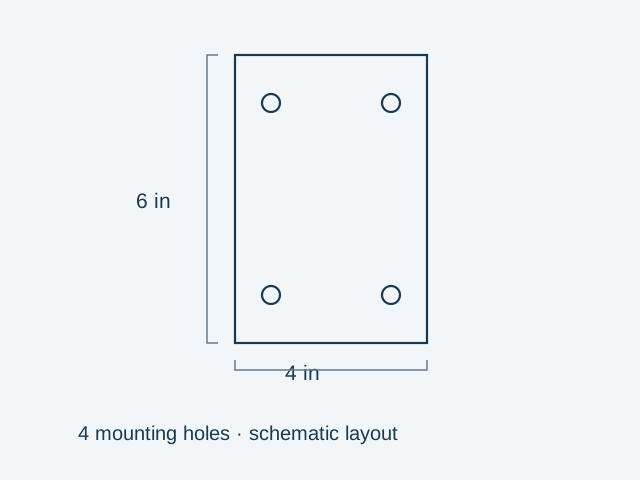
| Input | Value |
|---|---|
| Part | Flat bracket with four mounting holes |
| Overall size | 4 × 6 in |
| Material | A1011 carbon steel |
| Thickness | .080 in |
| Process | Laser cutting |
Compare unit price and order value
| Quantity | Price per part | Parts subtotal |
|---|---|---|
| 1 | $18.89 | $18.89 |
| 5 | $5.09 | $25.45 |
| 25 | $2.33 | $58.25 |
The subtotal is quantity multiplied by the published unit price. It is not a delivered order total. Use the current quote and checkout for the actual part and any applicable delivery or order charges.
At quantity 5, this sample’s unit price is about 73% below the single-part price. At quantity 25, it is about 88% below. Those percentages describe this sample only. They are not promised discounts for other parts.
Why a batch can cost less per part
A quote includes work that is shared across a batch, such as laser setup, as well as work and material needed for every part. When the same setup is spread across more pieces, its contribution to each piece falls. Cutting and material still remain, so multiplying quantity does not divide the entire unit price by the same amount.
The published example does not provide an itemized breakdown, so it cannot tell us exactly how much of each price is setup, material, or cutting. It does show why comparing realistic quantities is useful before deciding what to order.
Use your own file for a current quote
- Upload one CAD file for the part you want made. A clean DXF works for a flat cutting profile.
- Check the preview and dimensions, then select the actual material and thickness.
- Compare the quantities you need, keeping other inputs the same.
- Add any requirements beyond the flat cut and read the quote’s status before ordering.
If your bracket needs a bend, use the formed model and review the bending requirements. This flat example does not establish a formed-part price.